
HOMEFORUMSUPPORTDISCORD
★ TEST
✦ Welcome to the MapleVerse Test Portal! ✦  Found a bug? Report it here — paste a screenshot right from your clipboard! ✦  9 issues being tracked — thank you, testers! ✦✦ Welcome to the MapleVerse Test Portal! ✦  Found a bug? Report it here — paste a screenshot right from your clipboard! ✦  9 issues being tracked — thank you, testers! ✦
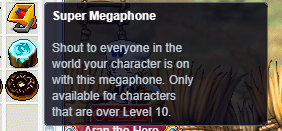
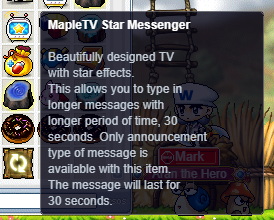
#107 cannot use mapletv star messenger or megaphone FIXED
LOW Items & Inventory 🍄reported by Mark · 2026.08.07 · updated 2026.08.12
neither are working when I double click on them to use them
screenshot 1screenshot 2
🍅 ME TOO · 0 Sign in to confirm this bug.
COMMENTS 3 replies
Admin ADMIN 2026.08.11

Confirmed, and it shares a root cause with the AP Reset report. Six ids exist twice in our item table — Super Megaphone, and all five MapleTV / Megassenger messengers. One copy works; the other is an empty placeholder filed under the raw id and marked as a cash item. Which one you end up holding depends on how you got it: the Cash Shop and the GM item command find the working one, but anything that builds the id as text (the gachapon payout, several NPC hand-outs, and any copy that was already in your bag from before that lookup existed) hands you the placeholder. The placeholder goes into the CASH tab, and the inventory's double-click has no rule for cash-tab items at all, so the click does nothing and says nothing — while the tooltip still shows the correct description, so there is no way to tell the two apart from the outside. The fix is to resolve the id to the working entry the moment an item enters your bag, and to migrate the placeholders already sitting in saved characters.
Admin ADMIN 2026.08.11
Confirmed — same root cause as the AP Reset report. Seven broadcast items (the Super Megaphone and the five MapleTV/Megassenger messengers) exist twice in our item database: one working copy, and one name-only stand-in that's filed as a Cash item. Which one you get depends on how you obtained it. The Cash Shop and GM commands find the working copy, but anything that builds the item from its raw number — gachapon payouts, older grants, and anything already in your bag from before that lookup existed — gets the stand-in. The stand-in lands in the CASH tab, and the CASH tab has no double-click rule for these, so nothing happens and you get no error either. Worse, the tooltip reads perfectly, so the two are indistinguishable from the outside.

I've copied the real broadcast behaviour onto the stand-ins, so the ones already in your bag will now arm the compose prompt when you double-click them — type your message in chat, press Enter, and it goes out.

[Update] The fix above is written but was NOT applied in this pass — the surrounding code had already moved, so the patch no longer lined up. Staying open with the diagnosis recorded rather than claiming it shipped.
Admin ADMIN 2026.08.12
Fixed. The root cause was that these items never reached their effect at all: v83 files the MapleTV messengers and the megaphones under Item.wz/Cash, so they land in the CASH tab, and the use path rejected every non-Use item before any effect could run. Cash-tab items that carry a real effect now run it (and inert ones still do nothing and are not consumed).

One correction to how it behaves, so you know what to look for: double-clicking a MapleTV Star Messenger or a Super Megaphone does NOT open a message box. It arms a compose — you get the prompt "Type your MapleTV message in chat, then press Enter" (or the Super Megaphone equivalent), and the next chat line you send becomes the broadcast. The item is spent only at that moment, so if you change your mind and walk away without sending, you keep it.

Sign in with MSU to comment.