


Admin ADMIN
2026.08.11
 AdminBug reports 23Suggestions 4Exploits 0
Fixed.
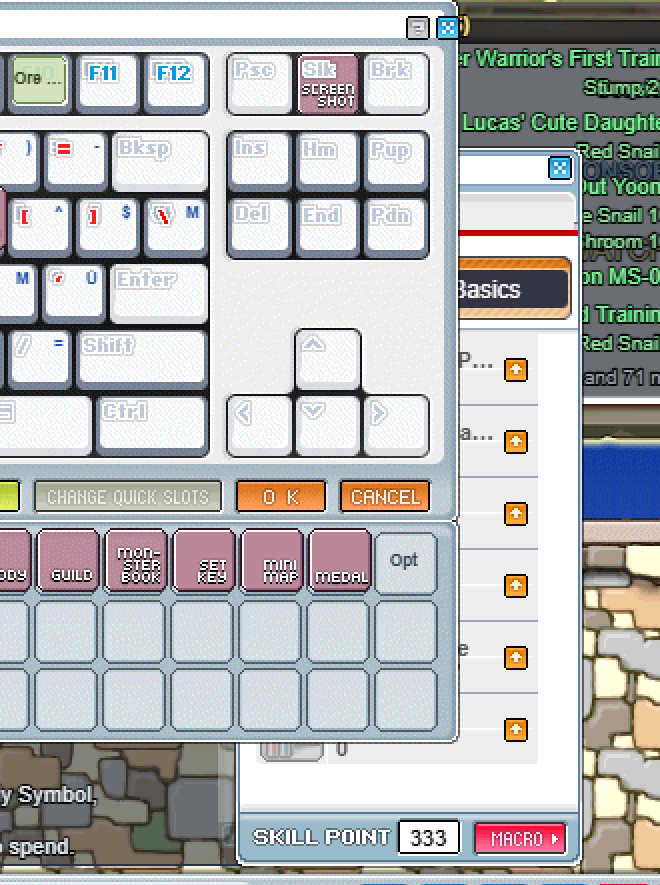
The window stack keeps a note of the slot a window just left, so that a window which REFRESHES ITSELF does not leap to the front — the stats window rebuilds itself on every AP click and again whenever a piece of its artwork finishes downloading, and without that note it would jump forward on its own while you were just looking at it.
The problem was that the note was only cleared the next time ANY window registered. So if you closed a window and did not touch another one, reopening it minutes later still counted as a 'refresh' and it went back to its old position underneath. The note now expires at the end of the current moment: a close-and-reopen in the same instant is still treated as a refresh, while a real reopen — which can only happen later — comes to the front.
Tested both directions, since getting it wrong the other way makes every window jump around as its art loads.
The window stack keeps a note of the slot a window just left, so that a window which REFRESHES ITSELF does not leap to the front — the stats window rebuilds itself on every AP click and again whenever a piece of its artwork finishes downloading, and without that note it would jump forward on its own while you were just looking at it.
The problem was that the note was only cleared the next time ANY window registered. So if you closed a window and did not touch another one, reopening it minutes later still counted as a 'refresh' and it went back to its old position underneath. The note now expires at the end of the current moment: a close-and-reopen in the same instant is still treated as a refresh, while a real reopen — which can only happen later — comes to the front.
Tested both directions, since getting it wrong the other way makes every window jump around as its art loads.