HOMEFORUMSUPPORTDISCORD
★ TEST
✦ Welcome to the MapleVerse Test Portal! ✦  Found a bug? Report it here — paste a screenshot right from your clipboard! ✦  9 issues being tracked — thank you, testers! ✦✦ Welcome to the MapleVerse Test Portal! ✦  Found a bug? Report it here — paste a screenshot right from your clipboard! ✦  9 issues being tracked — thank you, testers! ✦
#237 Make it so I can type in the drop dialog box FIXED
LOW UI & Windows 🍄reported by Mark · 2026.08.15 · updated 2026.09.03
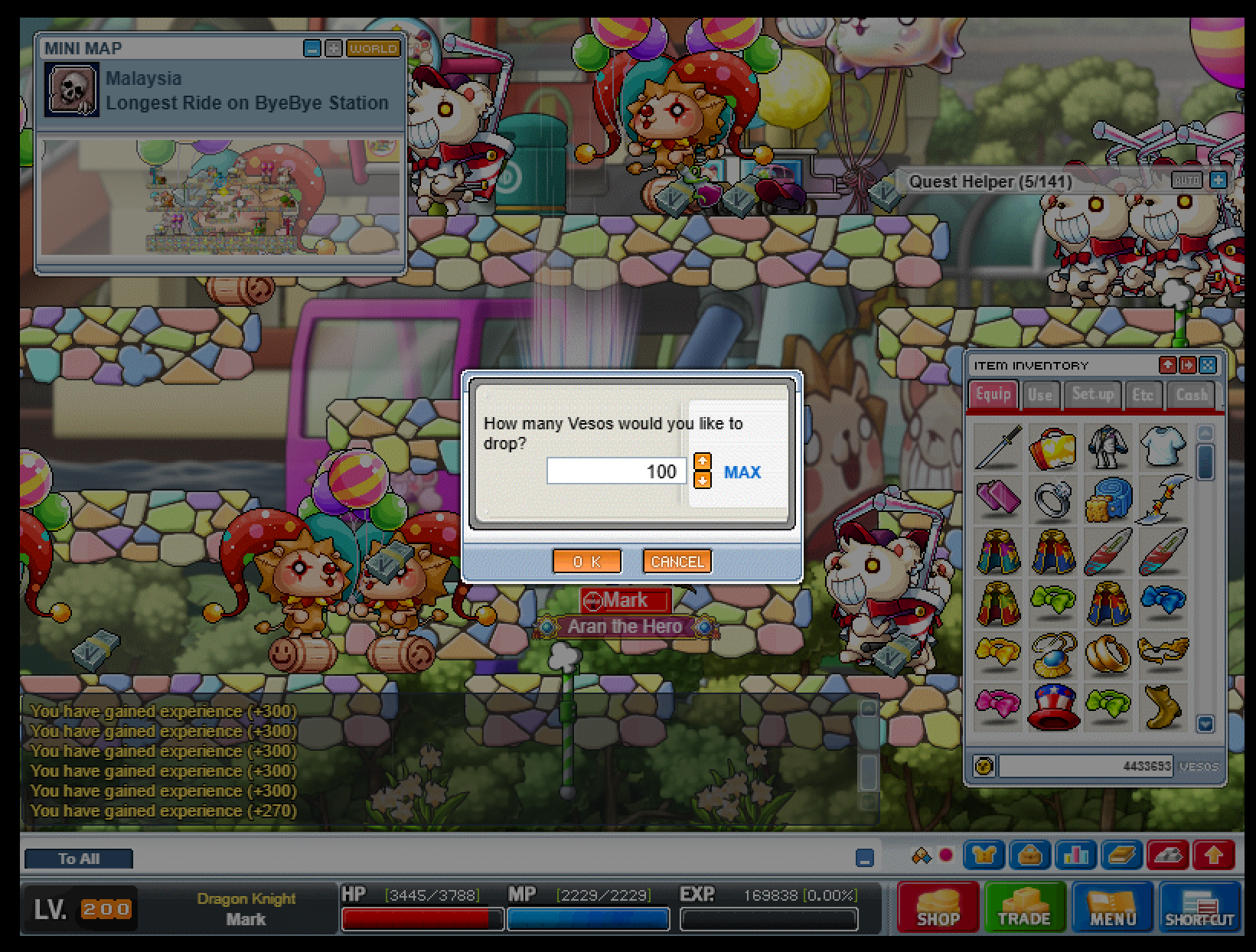
There is a popup when I try to drop veso, I should be able to click and type in the value, but clicking anywhere but the up and down arrows or ok closes the popup
screenshot 1
🍅 ME TOO · 0 Sign in to confirm this bug.
COMMENTS 3 replies
Mark ADMIN 2026.08.15
same goes for item drops. Also it appears stuff isn't proper aligned here in the ui
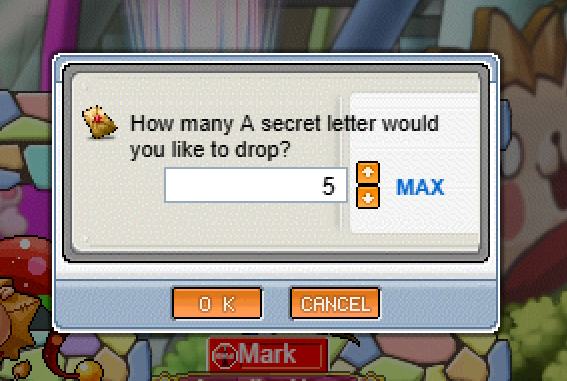

screenshot 1
Admin ADMIN 2026.08.18
Confirmed on both counts. The quantity popup only accepted the arrows because the number field was never made typeable, and clicking it dismissed the box. You can now click into it and type. The alignment you flagged in the comment is also corrected. Leaving IN PROGRESS because I want you to confirm the typed value is what actually gets dropped — including when you type more than you are holding, which should clamp rather than fail.
Admin ADMIN 2026.09.03
Fixed - and confirmed in this round of testing.

The quantity field in the drop dialogue is a real editable input now: you can click into it and type a number. Typing more than you are actually holding clamps to your held amount rather than failing or dropping extra. The tester's own note on the re-test: "drops the max amount it can without dropping extra's so working".

Moving this to FIXED. Thanks for the report.

Sign in with MSU to comment.